Every year around late November, the same thing happens. You open a notes app, type “2027 goals,” and watch the cursor blink. Maybe you have a few big ideas. Maybe you have a dozen half-finished lists. Either way, you want one calm place to put it all, and you don’t want it to feel like homework.
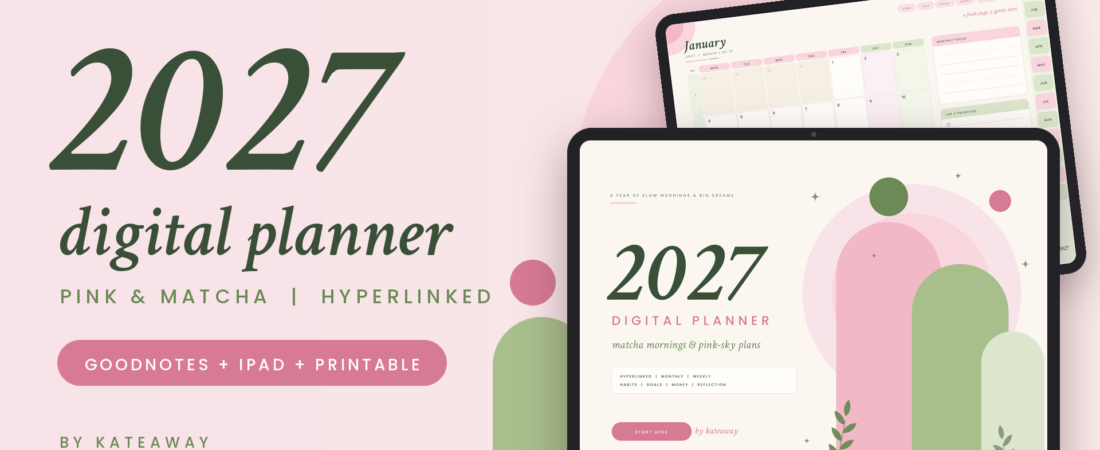
That’s who this 2027 digital planner is for. It’s a hyperlinked PDF planner in soft blush pink and matcha green, made for GoodNotes, Notability, and other tablet apps. The same download also includes printable US Letter and A4 versions, so you can plan on a screen, on paper, or both. Here’s what’s inside, how it works, and how to set up your year in about twenty minutes.
Want to skip ahead? Get the 2027 digital planner here.
Why a digital planner makes sense for 2027
Paper planners are lovely, and plenty of people will always prefer them. A digital planner just trades a few things in your favor. You can undo a mistake instead of crossing it out. You can duplicate a page when you run out of room. You can carry the whole year on the same tablet you already take everywhere, and you can tap straight to any month instead of flipping through pages.
2027 has one small quirk worth knowing about: January 1 lands on a Friday. In a Monday-start layout, that means the first week of the year actually begins on December 28, 2026. This planner handles that for you. Week 1 runs December 28 through January 3, so you never end up with an awkward, half-empty first week.
Meet the pink and matcha 2027 planner
I wanted a planner that looks pretty but still works hard. The pages are a soft cream, with blush pink and matcha green doing the color work. Weekdays and weekends get different tints, so a quick glance tells you where you are. The month tabs on the right edge alternate pink and green, and the current month lights up in a deeper shade.
It’s a calm palette on purpose. Nothing screams at you, and handwriting in almost any pen color stays easy to read. (Rose pink and dark green pens look especially good, if you’re curious.)
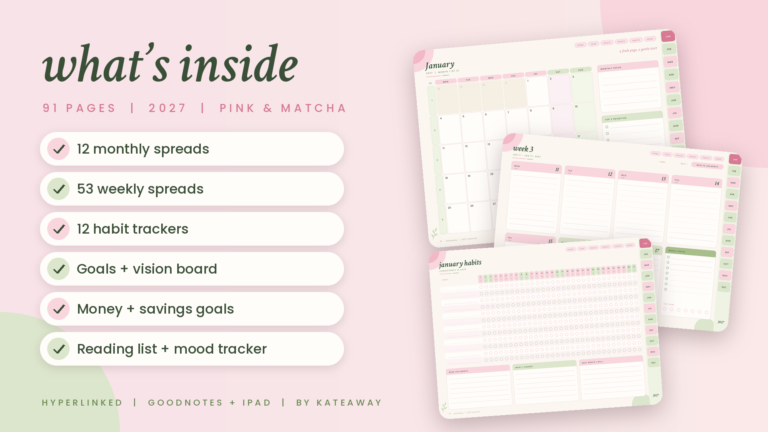
What’s inside: 91 pages for the whole year
Year at a glance, goals, and a vision board
The year overview shows all twelve months as mini calendars, and each one is tappable. Next comes a goals page with a spot for your word of the year, your top three goals, and four life-area boxes: career and money, health and body, heart and home, and joy and growth. A vision board page with collage-style frames gives you somewhere to paste photos, stickers, and words that make you excited about the year.
Twelve monthly spreads
Each month has a full calendar grid, a monthly focus box, space for your top three priorities, and a dotted notes area. Every month also has its own tiny affirmation tucked under the title, like a little note from a friend who wants you to have a good month.
Fifty-three weekly spreads
This is where most of your planning will happen. Each week runs Monday to Sunday with a lined box for every day, plus a weekly focus checklist and a seven-circle self-care tracker. There are no separate daily pages, so you get a clear weekly view without carrying around 365 extra pages.
Twelve habit trackers
Every month gets its own habit tracker with room for twelve habits across up to 31 days, plus three reflection boxes: wins this month, what I learned, and next month I will. Yes, twelve rows is a lot. Start with two or three and leave the rest empty.
Extras for money, books, mood, and notes
- Money tracker: income, savings, bills, and fun money for every month
- Savings goals: three goal cards with bubbles to color in as you save, plus a bills and subscriptions list
- Reading list: 24 slots with star ratings
- Year in pixels: one dot per day to color in with your mood
- Notes pages: two lined and two dotted
- Year-end reflection: six prompts for looking back next December
Tap to jump: how the hyperlinks work
The digital version is fully hyperlinked, which is what makes it feel like an app instead of a stack of pages.
- Month tabs (JAN to DEC) on the right edge of every page jump to that month
- Pills at the top take you Home, to the Year view, Goals, Weeks, Habits, and More
- On a monthly page, tap any date or week number to open that week
- Weekly pages have Back to month and Previous / Next buttons
If a link doesn’t respond in your app, switch off the pen tool or use reading mode, then try again. If you’ve imported an older copy, delete it first and import the new file as a fresh document.
Which apps does it work with?This is a title
It’s a standard PDF, so it works with apps that import and annotate PDFs. On iPad, that includes GoodNotes, Notability, and Noteshelf. On Android tablets, apps like Xodo work, although link support can vary from app to app. One thing to know up front: this is a PDF planner, not a Kindle or EPUB book. It’s designed for tablet-size screens in landscape, so on a phone you’ll need to zoom in to write.
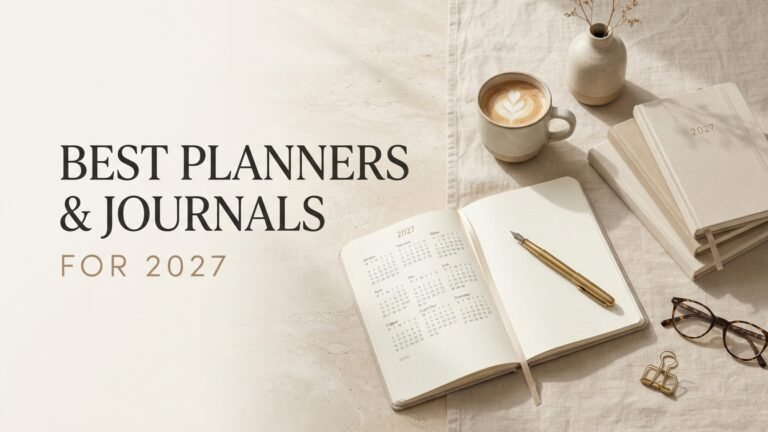
Not sure which planner is right for you? Compare styles in my roundup of the best planners and journals for 2027, with picks for goal setting, bullet journaling, classic planners and more.
Prefer paper? The printable versions are included
Your download comes with two printable files, one for US Letter and one for A4, both in landscape. They have a wider left margin so a 6-ring or 3-hole punch won’t eat your writing space. A few tips for the best result:
- Print at 100% or Actual size, not Fit to page
- Choose landscape orientation
- Print single-sided if you plan to punch holes, since the extra margin sits on the left of every page
- Try draft or economy mode if the cream background uses too much ink
Printed pages aren’t tappable, so the month markers on the right edge help you flip to the right spot instead.
A simple 20-minute setup for your year
You don’t need a perfect system. You need one that survives February. Try this:
- Pick one word for the year. Write it on the goals page. Think of it as a vibe, not a resolution.
- Write three goals. Add one sentence about why each matters to you.
- Fill in what you already know. Birthdays, trips, deadlines, and appointments go on the year view and monthly pages.
- Set January’s focus. One focus and three priorities is plenty.
- Choose two or three habits. Add more once those feel easy.
- Start a Sunday reset. Spend ten minutes each week looking at the month, then fill in your weekly focus.
That’s it. The goal isn’t a flawless planner. It’s a planner you’ll actually open.
Is this planner right for you?
It’s a good fit if you like weekly planning, enjoy writing by hand on a tablet, and want something pretty that stays out of your way. It’s also great if you like having a print backup.
It may not be the right pick if you want a separate page for every single day or if you need a Kindle-style reading experience. Weekly boxes work well for most schedules, but they’re not the same as daily pages.
Still comparing options? Browse the best planners and journals for 2027 roundup to see which style fits how you plan.
Frequently asked questions
Does this 2027 planner work with GoodNotes?
Yes. Import the PDF into GoodNotes and tap the tabs and links in reading mode. If links don’t respond, turn off the pen tool and make sure you’re using the newest file.
Is it an ebook?
Not in the Kindle sense. It’s a hyperlinked PDF planner, so open it in a PDF or planner app rather than an e-reader.
Does the week start on Monday or Sunday?
Monday. Week 1 begins December 28, 2026, so January 1 falls in the first week.
Are there daily pages?
No. Each weekly spread has a box for every day of the week, plus a weekly focus list and a self-care tracker.
Can I print it?
Yes. US Letter and A4 landscape files are included. Print at 100% for the best fit.
Can I use it on an iPhone or Android phone?
It opens fine, but it’s designed for tablets. On a phone you’ll want to zoom in to write comfortably.
Can I share or resell the files?
No. The planner is for personal use only, so please don’t share or redistribute the files.
Start your year a little softer
A new year doesn’t need a complicated system. It needs a place that feels good to open. If pink and matcha sounds like your kind of calm, you can grab the 2027 digital planner here and start planning today.
Leave a Reply